Clickism
Signs
Road signs are the main component of ClickSigns.
A road sign consists of front and back textures, sign elements, and alignment.
Sign Textures
The front texture of a road sign is its main texture, and will be displayed on the front of the sign. The front texture determines the size of a sign.
The front texture can be a tileset, or a static image, but more on that later in the Textures section.
The back texture of a road sign will automatically be adjusted to match the shape and size of the front texture.
This means that, when creating custom textures with irregular shapes, you only have to worry about the front texture.
Alignment
Before we get to sign elements, let's talk about alignment.
Both road signs, and sign elements have an alignment property. Alignments determine how a road sign is displayed relative to its position, and how sign elements are displayed relative to their position on the road sign:
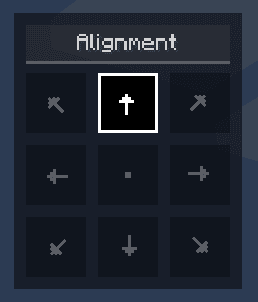
For example, center top alignment (the default alignment, as shown on the screen) would mean, that the road sign will be placed in the center of the road sign, and grow towards the top.
Road signs will always try to cover the block they are on first, and then align accordingly.
Sign Elements
Currently, there are 3 types of sign elements: text, symbol, and plate elements. Each of these elements can be added and positioned anywhere on the road sign, with an arbitrary alignment.
Text Elements
Text elements are used to display text on a road sign.
Text elements support multiple lines of text, where you can align the text to the left, center, or right.
You have several options to style a text element, including:
- Text color – The color of the text itself
- Background color – The color of the background behind the text (optional)
- Outline color – The color of the outline around the text's background (optional)
- Outline width – The thickness of the outline
- Padding – The space between the text and its background/outline
- Formatting - Bold, italic, underline, strikethrough (combinable)
You can also enable the following formattings bold, italic, underline and strikethrough.
Symbol Elements
Symbol elements are used to display symbols (icons) on a road sign.
Most arrows, or monochrome symbols will adapt to the background of the road sign such that they are visible. (e.g. a black arrow on a white sign, but a white arrow on a blue sign)
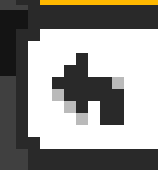
You can also combine symbols to create more complex symbols, such as a round about with multiple exits:
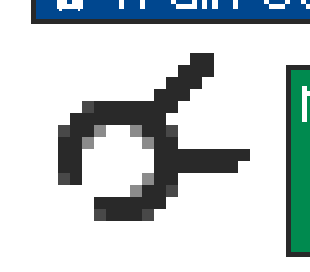
Plate Elements
Plate elements are used to attach more sign textures to a sign, these will render a back texture as well.
It might be useful to think of plate elements as mini signs you attach to the sign, to create more complex signs, such as adding a separate highway number to a bigger sign.
By default, plate elements will match the textures of the main sign, you can however turn off "Match Sign Textures" in the editor to decouple them.